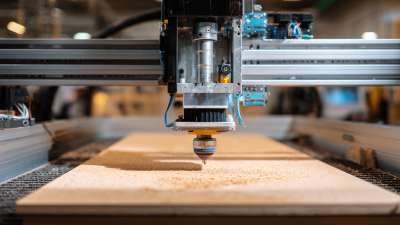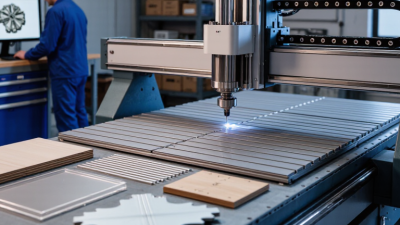
Choosing a woodworking CNC machine in 2026 means matching the machine to real jobs, not impressive specifications. A small cabinet shop may need a rigid bed, reliable dust collection, and repeatable sheet processing. A hobbyist making signs may value a compact footprint and simple setup. The right choice depends on materials, work area, budget, and the operator’s experience.
CNC educator Patrick Hood-Daniel’s hands-on machine-building work offers a useful perspective. A practical buying principle inspired by that approach is: “Choose the machine that handles your everyday cuts accurately, not the one with the biggest headline specs.” Treat that as a test, not a promise. Ask vendors about cutting accuracy, support, replacement parts, and setup requirements. If possible, inspect a sample cut in your own material.
Look closely at the details. Will the spindle cut hardwood without bogging down? Can the bed support a full sheet? Does the control software fit your workflow? Small differences matter. A poorly placed dust shoe can leave chips in corners; unclear training can turn setup into a long afternoon. I would not assume the fastest machine is the best one. Compare total ownership costs, including tooling and maintenance, and check whether local service is available. The sections ahead break down these factors so you can choose a woodworking CNC machine with clear expectations—and room to reconsider if your needs change.
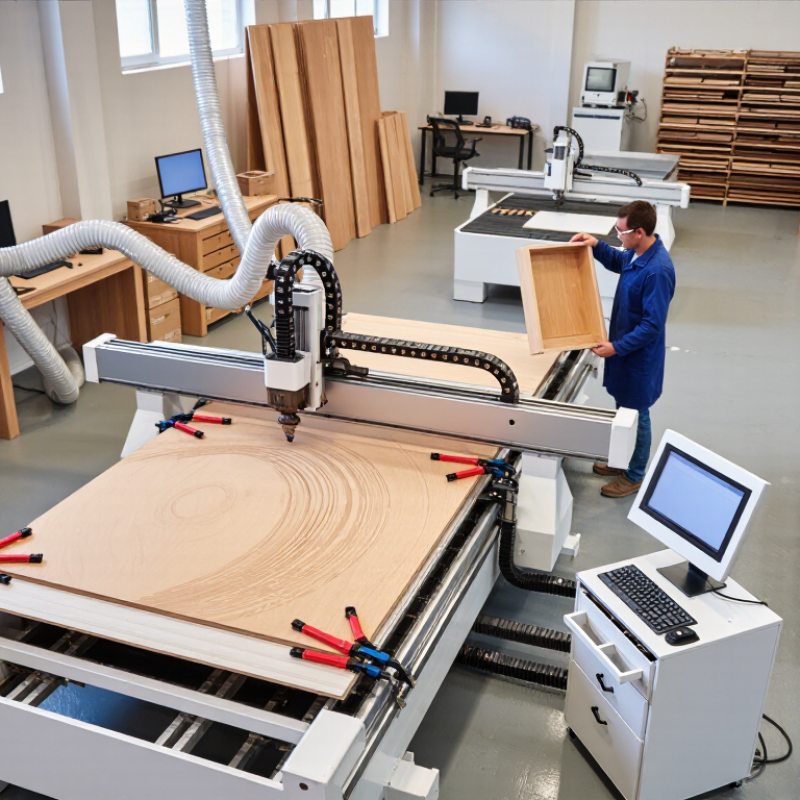
Before comparing machines, list the work you actually expect to make. A cabinet shop cutting full sheets has different needs from a hobby bench producing signs, drawer fronts, or small furniture parts. Note the largest material size, typical thickness, and smallest detail in your designs. A 24-inch panel may fit the drawing but not the clamps. That matters.
Choose the work area around real stock, not an optimistic measurement. Include room for hold-downs, tool changes, and safe access around the table. For hardwood joinery, consider spindle power, rigidity, and repeatable positioning; fine engraving may depend more on motion control and a suitable small cutter. Check how the machine handles dust, too. Chips packed into a narrow slot can spoil a clean cut and waste setup time.
Write down how often the machine will run, who will operate it, and what software skills are available. These details affect practical choices such as automatic tool changing, workholding, and training needs. Leave a little capacity for future projects, but avoid paying for features that solve no current problem. Estimates are imperfect. I still find that material handling takes more space than expected. Measure your doorway, power access, and extraction route before settling on a machine size.
Choosing a woodworking CNC starts with the parts you make, not the machine’s advertised footprint. A 3-axis router suits flat cabinet panels and signs. A 4-axis machine adds rotary carving; a 5-axis model can cut angled surfaces and complex furniture components. More axes, more setup. Extra capability also means more programming and collision checks.
Match the work envelope to your stock, clamps, and loading space. APA’s plywood panel guidance lists 4-by-8-foot sheets as a common size. A nominal 48-by-96-inch bed may offer less usable area once you account for hold-downs and edge clearance. Measure the largest real workpiece, then allow room to secure it. There is no perfect envelope. Oversizing can waste floor space; undersizing creates awkward workarounds.
Market figures give context, not a machine recommendation. Grand View Research estimated the global CNC machine market at $101.2 billion in 2023 and forecast 9.3% annual growth through 2030 in its CNC Machine Market report. That broad market includes many industries, so it does not predict woodworking-router demand. Compare usable cutting area, Z clearance, spindle access, and footprint. A thick tabletop may need more Z travel than a wide panel. Check the envelope with your actual tool, stock, and clamps before paying for capacity you may rarely use.
A woodworking CNC machine should match the parts you plan to make, not the largest project you can imagine. Spindle power matters when cutting dense hardwood or using larger tools, but higher power alone does not guarantee clean results. A sharp cutter, suitable feed rate, and rigid setup matter too. For example, a machine cutting 25 mm maple needs enough torque to avoid slowing under load. Too little power can leave burn marks. More power may add cost without improving your usual work.
The motion system affects how smoothly the machine follows a toolpath. Compare the guides, drive components, frame stiffness, and supported work area. A useful shop test is to cut the same small pocket several times and compare its edges and dimensions. Accuracy claims need context. Ask how repeatability is measured, and whether the figure applies across the full bed. Dust, tool wear, and loose workholding can all affect the result. Easy to overlook.
Materials should guide your choice of spindle, tooling, and machine rigidity. Softwood, plywood, and hardwood place different demands on cutters and cutting settings. If you also plan to machine plastic or aluminum, check the machine’s stated capabilities and test cautiously with appropriate tooling. Keep a sample from each test cut. It can reveal chatter, tear-out, or size drift more clearly than a specification sheet. No setup is perfect. The right balance depends on your typical stock, part size, and tolerance needs.
How to Choose the Best Woodworking CNC Machine in 2026?
Assess Software, Training, Maintenance, and Safety Features
A capable CNC machine is only as useful as the software and support around it. Check that the software can import your common design files, generate toolpaths, and simulate cuts before the spindle starts. A preview can reveal a clamp collision or an incorrect cutting depth. Ask whether training covers setup, tool changes, workholding, and recovery after a job stops unexpectedly. A brief demonstration is helpful, but hands-on practice is better.
Maintenance affects both output and downtime. Look for clear instructions on cleaning rails, checking belts, lubricating moving parts, and replacing routine consumables. Ask how quickly technical support responds and whether operators can reach key components without dismantling the machine. These details are easy to overlook when a sample cut looks perfect. It may still be worth testing a real project, including its setup time and cleanup.
Tips: Before choosing, request a sample workflow using your own drawing and material. Check for guarding, an accessible emergency stop, and effective dust collection. Keep the checklist practical. One awkward setup can expose gaps that a polished demonstration misses.
Suggested evaluation weights for comparing software, training, maintenance, safety, and machining performance.
These percentages are an example buyer scorecard, not survey results or industry standards. Adjust the weights to fit your shop, and verify features through machine demonstrations, documentation, and service terms.
A low purchase price can hide expensive gaps. Compare the full installed cost: machine, tooling, dust extraction, software, electrical work, training, and service visits. Add likely downtime and replacement parts. Grand View Research valued the global CNC machine market at $101.22 billion in 2023 and forecast 9.5% annual growth through 2030. This covers CNC machinery broadly, not woodworking alone, but it signals a fast-changing equipment market.
Support matters. Ask how quickly technicians respond, which parts are stocked locally, and whether remote diagnostics are included. Request the service terms in writing. Deloitte’s 2024 Smart Manufacturing Survey found that 92% of manufacturers viewed smart manufacturing as a key competitiveness driver over the next three years. For a woodworking shop, that makes control compatibility and software updates practical buying questions, not extras.
Leave room to grow. Check whether the machine can accept a rotary axis, automatic tool changer, larger bed, or upgraded controller later. Confirm upgrade prices and required downtime before signing. A shiny option list can mislead. I would compare three-year costs using the same workload, material, and staffing assumptions. Some estimates will still be rough; mark them clearly rather than treating them as facts.
| Machine Class | Typical Purchase Price (USD) | Estimated Setup Costs (USD) | Estimated 3-Year Maintenance (USD) | Estimated 3-Year Total (USD) | Support to Confirm Before Buying | Common Upgrade Options | Best Suited For |
|---|---|---|---|---|---|---|---|
| Compact desktop router | $2,000–$8,000 | $500–$2,000 Basic tooling, workholding, dust collection, and setup |
$300–$1,500 | $2,800–$11,500 | Check the warranty term, availability of replacement parts, setup guidance, and whether technical help is included or charged separately. | Dust shoe: $100–$500 Better workholding: $100–$800 Spindle or router upgrade: $300–$1,500 |
Small parts, signs, hobby projects, and low-volume work where compact size matters more than sheet capacity. |
| Entry-level 4 × 8 ft router | $8,000–$25,000 | $2,000–$8,000 Tooling, dust extraction, workholding, delivery, and commissioning |
$1,500–$6,000 | $11,500–$39,000 | Confirm installation and operator training, remote troubleshooting availability, response hours, and the cost and lead time for service visits. | Vacuum hold-down: $2,000–$8,000 Spindle upgrade: $1,000–$5,000 Rotary axis: $1,000–$4,000 |
Small cabinet shops and makers needing to process standard 4 × 8 ft sheet goods without high-volume automation. |
| Production 4 × 8 or 5 × 10 ft router | $30,000–$80,000 | $7,000–$20,000 Electrical and dust-system preparation, tooling, delivery, and installation |
$5,000–$18,000 | $42,000–$118,000 | Ask whether preventive-maintenance plans are available, which parts are stocked locally, and what response and repair times are stated in writing. | Vacuum pump or zone upgrades: $3,000–$12,000 Automatic tool changer: $8,000–$25,000 Loading or unloading aids: $5,000–$20,000 |
Established shops that regularly cut sheet goods and need higher throughput, repeatability, and reduced manual handling. |
| Production router with automatic tool changer | $60,000–$150,000 | $12,000–$35,000 Site preparation, extraction, tooling, installation, and operator training |
$9,000–$30,000 | $81,000–$215,000 | Request written details on commissioning, software and control support, preventive maintenance, service coverage, and the availability of critical components. | Additional tool capacity: $2,000–$8,000 Labeling or material handling: $8,000–$30,000 Advanced vacuum zoning: $3,000–$12,000 |
Production environments running frequent tool changes or longer shifts, where reduced setup time can justify the higher initial investment. |
Cost assumptions: These are indicative 2026 planning ranges in USD, not supplier quotes. Three-year totals add the purchase price, estimated setup costs, and estimated routine maintenance. They exclude labor, electricity, facility rent or construction, taxes, financing, software subscriptions, and production downtime. Actual costs depend on configuration, location, duty cycle, and service terms. Compare written quotations with the same machine size, included equipment, warranty coverage, installation scope, and training.